Create
Your free custom subliminal: what you get without paying
Make your free custom subliminal with your own words. Compare three free routes, check the limits and try an eleven-line script with a standard voice.
- Published
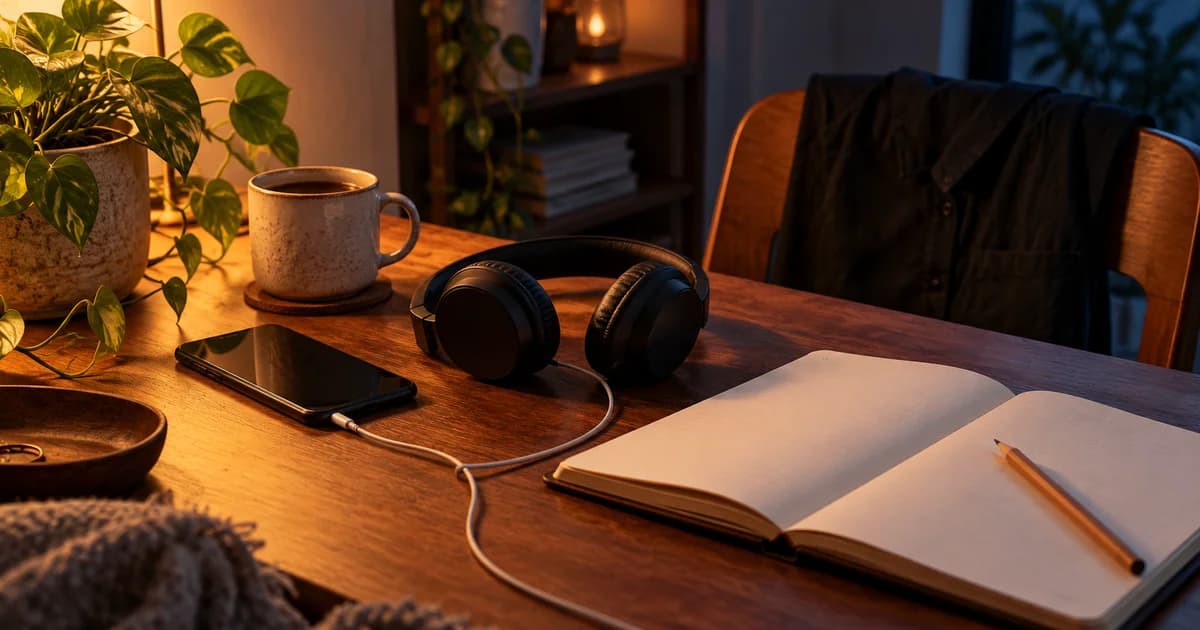
Your eleven lines are ready for Friday’s first shift at the cinema. The black shirt is on a chair; your budget is zero. You have just closed a $40 custom order and a “free” maker that asks for your card after three screens. You want those exact words in a file you can keep. Yes, you can get that without paying. Choose whether to spend your time recording the lines or choosing a standard voice.
Start with words you can change.
Edit every line, then carry the script into the free maker.
11 lines · 5 min test
Your first cinema shift. Before leaving home for your first shift at the cinema counter. Keep only the lines that sound natural to you.
One spoken idea per line. Nothing is saved until you open the maker.
Can you get a custom subliminal free?
Yes. You can turn your own script into a short audio without buying a commission: record and mix it yourself, or use a free standard-voice generator. You keep control of the words. The trade-offs sit elsewhere: editing time, duration, voice choices and how you receive the finished file.
You can hear your first lines in Supral now: paste the text, choose a standard voice and play the 15-second preview. It uses no creation and no credit. For eleven sentences before your first cinema shift, I would start there and leave the checkout tab closed.
The custom subliminal overview covers what makes a track personal. Your immediate question is smaller: can you keep an audio containing your exact lines for no money? A free preview alone does not finish that job. A downloadable, usable track does.
Three free routes, with three different time bills
Put fifteen minutes on your clock and choose where to spend them. Manual production spends that time on recording and assembly. A generator spends it on wording and auditioning. A premade video spends it on searching for something close enough.
If you already have your script, the generator has the least assembly work. If you want your actual recorded delivery, the editor earns its learning time. A video suits you when the existing sound and wording already fit; it gives you no way to replace line seven.
Phone recorder + free editor
- Time to budget initially
- 30–60 minutes to learn, record and check
- You control
- Exact takes, pauses, mix and local files
- You give up
- Automatic assembly; you do the editing
Free online generator
- Time to budget initially
- 10–15 minutes for text and preview, plus processing
- You control
- Your script, available standard voice, background and short duration
- You give up
- Some advanced controls, longer lengths or own-voice synthesis
Free-to-watch YouTube video
- Time to budget initially
- 5–15 minutes searching, possibly longer
- You control
- Which existing video you play
- You give up
- Changing its script, narrator and finished mix
Record it yourself: free software, your own performance
Your phone, a quiet room and a folded towel under the phone are enough to start recording eleven lines. Read them once, leave a short gap, and repeat a sentence when you stumble. Keep the clean take as a separate file before adding background. You now have your real voice without paying for a voice-cloning feature. Audacity is a free, open-source desktop recorder and editor for Windows, macOS and Linux, with MP3 export. You can assemble your narration and a separate sound bed there. Our Audacity creation walkthrough covers the steps; the own-voice guide covers the recording choices.
The real expense is the second take, the awkward join and the export you check twice. You control the performance and individual clips, but you also fix them. Keep the editable project beside the MP3 so replacing one sentence next week takes one edit. Use your own background recording or audio with suitable permissions. Creative Commons describes its different licences, including conditions on attribution, adaptation and commercial use. A rain file with a download button still has usage terms. Silence is an easy first background when you want one less file to manage.
Use a free online generator when your script is ready
With a free subliminal maker, you type the text and let the service assemble narration and background. You exchange control of individual audio clips for fewer production steps. Audition your longest sentence first: a rushed ending or an oddly pronounced word is easier to catch in a short preview.
In Supral, enter one affirmation per line. Choose among 18 voices across six languages, with female and male choices, and slow, normal or fast pacing. The interface also has six languages. Start with rain, ocean or silence, then try another background if you prefer.
The subliminal audio generator page covers the tool. If you want to compare tools themselves, use best subliminal apps. For this decision, keep one question beside your eleven lines: can the free route create and deliver the file with the voice and duration you actually want?
What you get without a Supral account
You can write your text, use a standard voice and try the 15-second preview without an account. Moments offers ready scripts. AI draft writes twelve editable lines from a goal once a day without an account. Starting from your own eleven lines skips that drafting step altogether.
Without an account, the finished MP3 is delivered at 320 kbps through a private email download link valid for 48 hours. Download it while that link is active. The link has an expiry; the MP3 you save is your local listening copy. You still provide an email address for that delivery, even though you have not created an account.
After five download emails to the same address in 24 hours, counting creations and kept gifts together, the download link is shown on screen instead of another email being sent. That email-delivery cap is separate from creation allowances. Creating a free account with the same email keeps the track in My tracks without expiry.
Free account or paid option: the boundary in one table
Supral is our tool: we’ve put it in the table so you can try it alongside the other routes.
A free account gives you three creations a day, tracks up to five minutes, MP3 downloads and storage in My tracks. It also raises AI draft to three uses a day. Five minutes and a standard voice cover all eleven lines below; you can leave the paid boxes alone.
Keep duration, narration and export format as separate decisions. Supral+ includes ten- and thirty-minute tracks. Pro includes Supral+ features and nine My Voice credits per month. Credit packs are another route to My Voice for any account. None of those is needed just to put your own text into a standard voice.
Script and preview
- Free route
- Editable lines, Moments, 15-second preview with no creation or credit used
- Paid boundary
- More daily AI drafts on paid plans
AI draft
- Free route
- 1 daily without account; 3 with free account
- Paid boundary
- Higher daily allowances
Standard-voice MP3
- Free route
- Free account: 3 creations daily, up to 5 minutes
- Paid boundary
- Supral+: 10- and 30-minute tracks
Receiving your file
- Free route
- No account: private email link, 48 hours; account: My tracks
- Paid boundary
- MP3 does not require an upgrade
Your cloned voice
- Free route
- Recording and saving your voice profile is free
- Paid boundary
- My Voice preparation: 1 credit per track; Pro or credit packs
Detailed mix controls
- Free route
- Choose standard voice, pace and background
- Paid boundary
- Supral+: balance and pauses; Pro: independent volumes
Optional versions
- Free route
- Standard MP3
- Paid boundary
- WAV Master, Mega Booster and SuperSub 6D: payment or applicable credits
Free YouTube audio: you choose a track, not its sentences
A free-to-watch video can already have exactly the rain sound you like. It may be a perfectly pleasant choice for tonight. Your control is selection: choose another upload or stop playback. The finished video remains somebody else’s combination of text, voice and sound.
Look for the actual script in the description. “Starting a new job” is a topic; eleven published sentences are something you can read. If the text talks about office presentations while you want words about asking for help, searching longer may cost more time than making your version.
You get the finished listening version, with its existing words and mix. The custom vs premade comparison goes further into that choice. For zero-budget customization, a video only solves your problem when its existing words happen to fit.
Check the word “free” before pasting your whole script
Test a service with two ordinary sentences before adding the eleven you care about. Follow the route all the way to the stated export conditions. Can you download the complete MP3? Does it use the voice you just auditioned? A sign-up requirement is easy to accept or reject when you know about it before writing.
The FTC’s free-trial advice explains how card-backed trials can become recurring charges. If your budget is zero, choose a route that lets you finish without entering payment details. A reminder to cancel is another task, and you came here to make an audio.
- Card requested: read the trial end date, renewal terms and cancellation route before continuing.
- Export locked: confirm that free includes the complete file, rather than only a player preview.
- Audio watermark: listen for spoken branding or inserted sounds in the sample and check export terms.
- Script hidden: find the complete words and whether you can edit them before creation.
- Download requires an account: establish whether a free account is enough and which email details it needs.
- Voice restricted: audition the actual free voice in your language, rather than a premium demo voice.
Eleven lines before your first cinema shift
It is Friday at 4:30 p.m. Your black shirt hangs over the chair and your first shift at the independent cinema starts at six. You know the films; you do not know the till. Your sticking point is “I should already know how everything works.” Give yourself words for learning the counter, one customer at a time.
Use Jenny, the American female voice, at normal pace, rain and five minutes. Paste these eleven lines into the generator, one per line, and play the preview. This setup stays entirely on the free standard-voice route. Change “ticket scanner” if the unfamiliar object in your shift is a coffee machine or a stock cupboard.
- I put my shirt and name badge beside my bag.
- I arrive with time to find the staff entrance.
- I can introduce myself as the new person on shift.
- I ask who will show me the till.
- I can ask where the ticket scanner lives.
- I watch one transaction before I try the next.
- I can check a step while a customer waits.
- I ask a colleague when a booking looks unfamiliar.
- I am learning the order of this counter.
- I keep the next customer separate from the last mistake.
- I finish my shift knowing what to ask next time.
Make the free version worth keeping
Read those eleven lines aloud before generating. “I can ask for help” may sound natural to you; “I ask when I get stuck” may sound better. Change it now. Your choice of ordinary words is the customization, and it costs the same whether the narrator says eleven lines or twelve.
In the preview, listen for the pace of a complete sentence and whether you enjoy the rain. Try silence if you keep noticing the drops. For more situations and wording, borrow from the complete custom script collection while keeping your own objects and times.
Create the track once those choices fit. Download the finished MP3, play its beginning and ending in your usual player, and save the text beside it with a name ending in “v1.” Next week, you may want to replace a sentence; keeping the script makes that revision straightforward.
Keep the volume comfortable and stop if listening bothers your ears; WHO’s safe-listening guidance explains why both level and exposure time matter. The five-minute track belongs in your pause at home before leaving for work.
When paying earns its place, and when it does not
Pay for a longer track when you actually want ten or thirty minutes of playback. Choose My Voice when you have tried the standard narration and want your own cloned voice: it uses a 5–15-second recording and one credit to prepare each track. Once prepared, listening or downloading that version again uses no extra My Voice credit.
If you want a human performance or substantial writing help, a commission buys someone’s work. The buying checklist covers delivery and revisions. For eleven finished sentences, a standard voice you like and five minutes before leaving, keep the free version. An unused longer runtime adds nothing to that pause.
Greenwald and colleagues’ double-blind self-help tape experiments tested 237 people over a month and did not find the advertised memory or self-esteem effects, so spend on a sound, service or length you can actually name rather than a promise of stronger subliminal results.
Your zero-budget stopping point
You have the eleven sentences, a standard voice, five minutes and an MP3 you can save. That is a finished first version. Write “ask about refunds” in tomorrow’s notes if tonight’s shift reveals that missing step. Your next change can be one sentence rather than a hunt for another offer.
If you choose manual recording instead, finish with the same two files: your approved text and the listening copy. Keep the project too. Whichever route you take, close the search tabs when you have the audio you wanted.
Sources and further reading
These references support the evidence and safe-listening limits discussed in this guide.
Frequently asked questions
Can I get a custom subliminal for free?
Yes. You can use your own script with a free standard-voice generator or record and mix it yourself. Supral’s free account supports three creations a day up to five minutes, with MP3 downloads. Your exact wording can be personal without a paid voice option.
How can I make my own subliminal online free?
Put one affirmation per line in Supral, choose a standard voice, pace and background, then try the 15-second preview. It uses no creation or credit. Create a short track when the sample suits you; without an account, your private MP3 link arrives by email and lasts 48 hours.
Do I need an account to download a free subliminal?
In Supral, you can receive a 320 kbps MP3 through a private email link without an account. A free account saves your tracks in My tracks without expiry. Other services may require sign-up before download, so check the export conditions with two test lines first.
Is a free subliminal maker just a free trial?
It depends on the service. Check whether you can create and keep the complete file without entering a card or starting a subscription. Supral has a free standard-voice route, with a free account allowance of three creations per day and tracks up to five minutes.
Can I use my own voice for free?
You can record yourself with your phone and assemble the recording in a free editor. In Supral, recording and saving a My Voice profile is free, but preparing a track with that cloned voice uses one credit. Credits come in packs or with Pro, which includes nine per month.
Can I make a 30-minute subliminal free on Supral?
For your own new Supral creations, the free limit is five minutes. Ten- and thirty-minute tracks require Supral+ or Pro. Choose a longer track when it fits the time you want to spend listening; the eleven-line script works with the free five-minute option.
Are free custom subliminals less effective than paid ones?
Price does not establish a subliminal effect, and the cited tape experiments did not find their advertised memory or self-esteem benefits. Compare what you can inspect: the wording, narration, duration and file you receive. Pay when you want a particular service or audio feature.
Can I change my free custom subliminal later?
Keep your script as editable text and make a revised track when a line needs changing, within your creation allowance. Save the new MP3 with a version number and check it before replacing the old listening copy. In a manual editor, keeping separate source tracks makes revisions easier.
Give your first shift its own eleven lines
Write your lines, choose a free standard voice and listen to the 15-second preview.
Write your lines and hear the preview